PUBG MOBILE: Complete Guide to Gameplay, Features, Maps, Requirements and Download
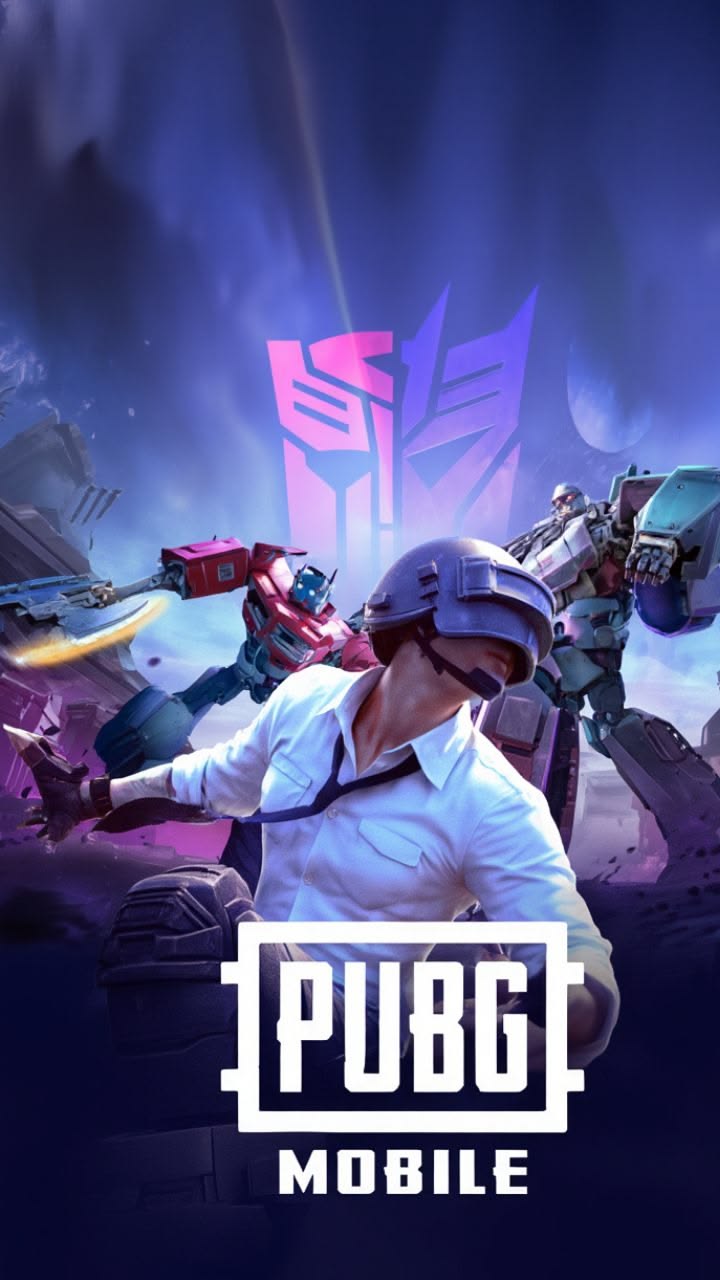
PUBG MOBILE is one of the most well-known mobile battle royale games, bringing the PlayerUnknown’s Battlegrounds experience to smartphones and tablets. The game combines large maps, survival-focused gameplay, team play, exploration, vehicles, character customization, competitive matches and a growing collection of additional game modes.
What makes PUBG MOBILE interesting is that it is not limited to one type of match. Players can enjoy traditional Classic gameplay, explore different maps, participate in special experiences and try player-created content through the game’s World of Wonder system. The official PUBG MOBILE website also continues to feature new events, gameplay content and creative experiences.
PUBG MOBILE Game Details
| Game Name | PUBG MOBILE |
| Genre | Battle Royale / Multiplayer |
| Platforms | Android and iOS |
| Developer / Publisher | PUBG MOBILE / Proxima Beta |
| Game Style | Online multiplayer survival gameplay |
| Main Experience | Classic Battle Royale |
| Creative Mode | World of Wonder |
What Is PUBG MOBILE?
PUBG MOBILE is a mobile adaptation of the popular PUBG battle royale concept. Instead of playing on a console or traditional gaming PC, players can experience the game using a compatible smartphone or tablet.
A typical battle royale match places players into a large environment where they must explore, collect useful supplies, move through the map and survive as the playable area changes. The goal is to remain in the match until the end while making smart decisions about movement, positioning and teamwork.
According to the official PUBG MOBILE website, the game launched globally in March 2018 and was built around a large-scale battle royale experience with multiple maps and gameplay options.
How Does PUBG MOBILE Gameplay Work?
The basic idea of PUBG MOBILE is easy to understand, but becoming good at the game takes practice. Players begin a match by entering the battleground and choosing where they want to start.
After landing, the focus shifts toward exploration and preparation. Players move around different areas of the map, search buildings and locations for useful resources, and decide when to move toward safer areas.
As the match progresses, the playable area becomes smaller. This gradually brings players closer together and prevents the match from remaining spread across the entire map for too long.
Because of this changing environment, players constantly have to make decisions. Sometimes moving early is the better choice, while in other situations waiting and observing can be more useful.
Classic Battle Royale Experience
Classic gameplay is the part of PUBG MOBILE that many players associate most strongly with the game. It provides a large-scale survival experience where movement, map awareness, resource management and teamwork all matter.
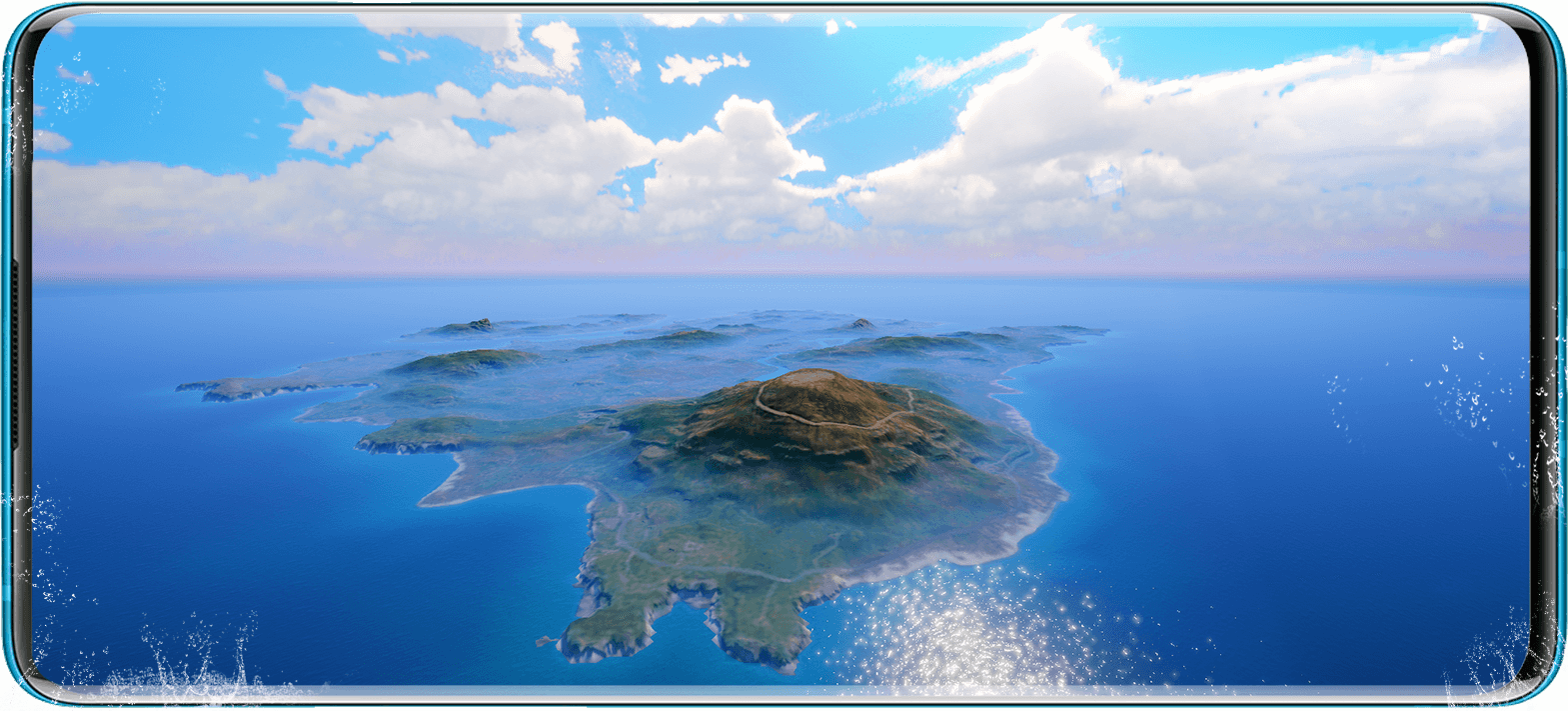
The size and design of the maps give players different ways to approach a match. Some areas may encourage exploration, while other locations can become busy because players are attracted to valuable supplies or important positions.
This variety means that two matches on the same map do not necessarily feel identical. The starting location, player decisions, movement of the play area and encounters throughout the match can all change the experience.
PUBG MOBILE Maps
One of PUBG MOBILE’s major strengths is its collection of maps. Different environments can change how players move around the battlefield and how quickly a match develops.
Erangel
Erangel is one of the most recognizable PUBG maps and has been an important part of the game’s identity for years. It combines open areas, buildings, roads, towns and different types of terrain.
Miramar
Miramar provides a much more open and dry environment. Its wide landscapes and long sightlines create a different atmosphere compared with greener maps.
Sanhok
Sanhok is known for its tropical environment and relatively compact design. Matches on smaller maps can feel faster because players may encounter other teams more frequently.
Livik
Livik was designed around a more compact battle royale experience and provides another option for players who prefer shorter and faster matches.
Rondo
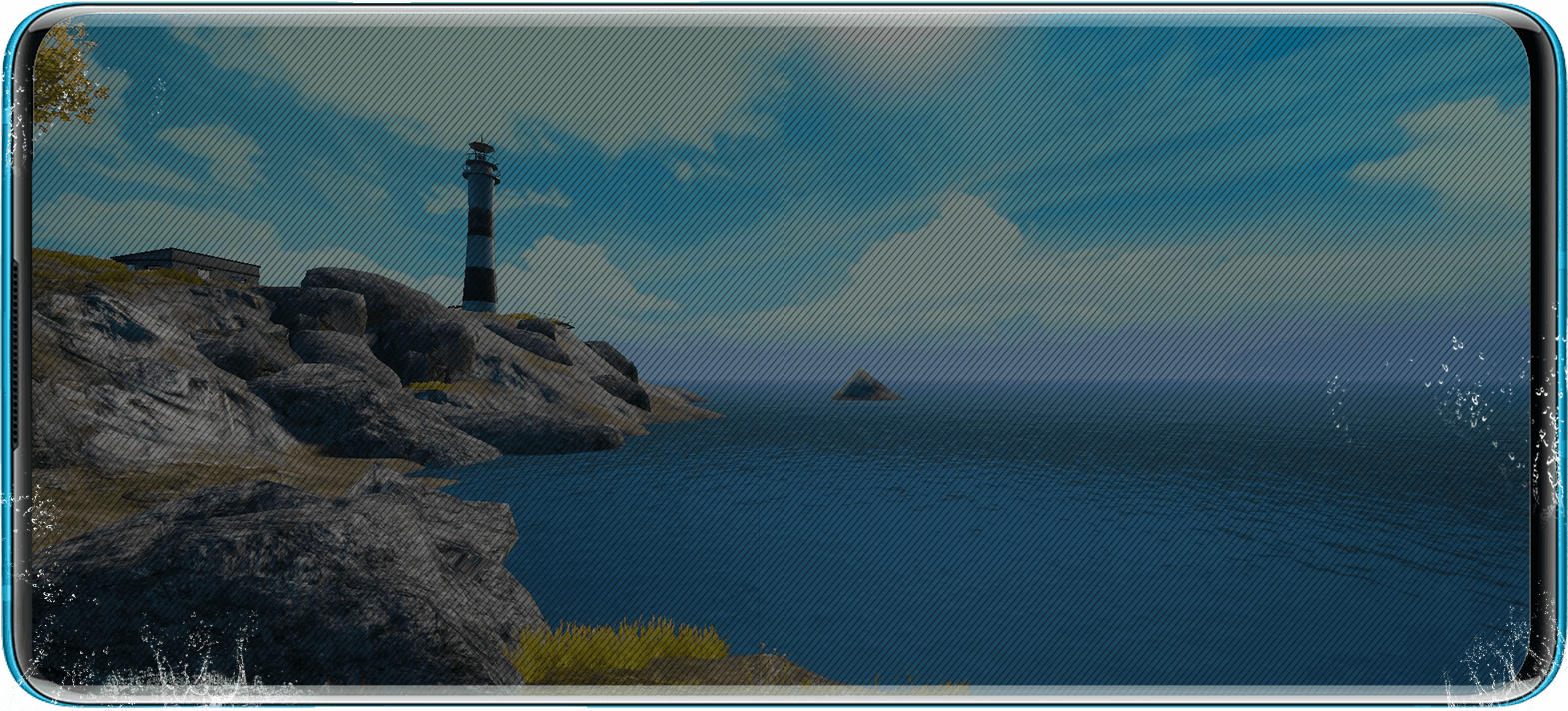
Rondo is another major map featured in PUBG MOBILE content. Official PUBG MOBILE information describes Rondo as an 8 × 8 km map with a mixture of modern and traditional environments, including cities, natural areas and lakes.
World of Wonder: Create Your Own Experiences
One of the most interesting additions to PUBG MOBILE is World of Wonder (WOW). Instead of simply playing experiences created by the developers, players can use creative tools to build their own gameplay experiences.
The official WOW system allows creators to combine gameplay devices, scenery objects, map elements and different parameters. This makes it possible to build custom experiences that can feel very different from a traditional Classic match.
World of Wonder has continued receiving improvements and additional creation tools. Official updates have introduced features such as custom gameplay devices, interactive objects, map editing improvements, creator tools and additional gameplay templates.
What Can You Find in World of Wonder?
- Custom gameplay experiences
- Player-created maps
- Different gameplay templates
- Interactive map objects
- Custom environments
- Creative challenges
- Unique multiplayer experiences
Different Ways to Play PUBG MOBILE
PUBG MOBILE has developed into a broader gaming platform rather than being limited to one traditional mode. Depending on the current version and events, players can find different gameplay experiences.
Classic Mode
Classic is the main battle royale experience. It focuses on survival, exploration, movement and teamwork across large maps.
Metro Royale
Metro Royale provides a separate style of gameplay and progression from the traditional Classic experience. It gives players another reason to return to the game when they want something different.
World of Wonder
WOW focuses on creativity and user-created gameplay. Players can discover creations made by other members of the community and experiment with custom experiences.
Limited-Time Events
PUBG MOBILE frequently introduces themed content and special events. These experiences can temporarily change how players interact with the game and provide something new to explore.
Graphics and Visual Quality
PUBG MOBILE has always placed considerable attention on its visual presentation. The game features detailed environments, character designs, changing lighting, natural landscapes and large map areas.
The exact graphical experience depends on the device. A newer and more powerful phone can generally provide more room for higher visual settings, while an entry-level device may benefit from performance-focused settings.
Players should therefore choose graphics settings according to their own device rather than automatically selecting the highest available option.
Performance and Device Requirements
PUBG MOBILE is available for supported Android and iOS devices. However, exact requirements can vary according to the operating system, device model, game version and downloaded resources.
PUBG MOBILE Requirements & Performance Guide
| Platform | Android and iOS |
| Internet | Required for online gameplay and game services |
| Storage | Keep sufficient free storage for the game and additional resources |
| Graphics | Varies according to device hardware |
| RAM | Performance varies by device; check the current store listing for exact compatibility |
| Best Experience | A supported device with enough storage, stable internet and good thermal performance |
Important: Device compatibility and download size can change with updates. Always check the current official store listing before installing.
How Much Storage Does PUBG MOBILE Need?
The game’s initial download is only part of the total storage requirement. Additional resources can be downloaded after installation, and the amount of storage needed may change as new maps, events and other content are introduced.
For that reason, it is better to keep a reasonable amount of free storage available rather than installing the game with almost no remaining space.
How to Download PUBG MOBILE Safely
The safest way to install PUBG MOBILE is through the official PUBG MOBILE website or the official application store available for your device.
- Open the official PUBG MOBILE website or your device’s official app store.
- Search for PUBG MOBILE.
- Confirm that you are downloading the official game.
- Install the application on your supported device.
- Allow the game to download its required resources.
- Launch the game and sign in using an available account method.
Avoid modified or unofficial game packages. Using official distribution channels is the better choice for receiving legitimate updates and maintaining account security.
Visit the Official PUBG MOBILE Website
Tips for New PUBG MOBILE Players
Learn the Controls First
Before concentrating on competitive performance, spend some time becoming comfortable with movement, camera controls, inventory management and other basic interface elements.
Understand the Map
Knowing the general layout of a map can make movement easier. Pay attention to major locations, roads, open areas and buildings.
Watch the Play Area
One of the most important parts of battle royale gameplay is keeping track of the playable area. Moving at the right time can prevent unnecessary pressure later in a match.
Communicate With Your Squad
Team communication can make a major difference when playing squad matches. Simple and clear communication helps teammates stay organized and understand what is happening around them.
Choose Comfortable Settings
Do not assume that maximum graphics are always best. A stable and comfortable experience is usually more useful than settings that cause the phone to heat up or reduce performance.
Try Different Modes
If Classic matches become repetitive, explore other available modes, events and World of Wonder creations. The variety is one of PUBG MOBILE’s strongest features.
PUBG MOBILE Social and Community Features
PUBG MOBILE is not only about individual matches. The game has developed a large community around its events, esports, creators and player-generated content.
World of Wonder is especially important in this area because it gives players a way to create experiences for other players. The official platform also includes creator-focused features that allow players to discover and follow creations.
Why Is PUBG MOBILE Still Popular?
The biggest reason for PUBG MOBILE’s continued popularity is variety. A player can enjoy a traditional battle royale match one day and then explore a completely different community-created experience the next.
The combination of multiplayer gameplay, large environments, frequent content changes, events, maps and creative tools gives players many reasons to keep returning.
Another major advantage is that the game is designed around mobile devices, making it possible for players to participate in multiplayer matches without needing a dedicated gaming console.
Pros and Cons of PUBG MOBILE
Pros
- Large and varied maps
- Multiple gameplay experiences
- Strong multiplayer features
- World of Wonder creative mode
- Regular events and content updates
- Available on supported Android and iOS devices
- Large player community
Cons
- Can require considerable storage space
- Performance depends heavily on the device
- Frequent updates can consume additional data
- New players may need time to learn the many systems
- Online gameplay requires a stable internet connection
Frequently Asked Questions About PUBG MOBILE
Is PUBG MOBILE free to play?
Yes. PUBG MOBILE is available as a free-to-play mobile game. The game can also contain optional in-game purchases and other monetized content.
Can I play PUBG MOBILE with friends?
Yes. Multiplayer and squad-based gameplay are important parts of the PUBG MOBILE experience. Players can team up with friends and other players.
Is PUBG MOBILE available on Android?
Yes. PUBG MOBILE is available for supported Android devices. Compatibility can vary depending on the device and current game version.
Is PUBG MOBILE available on iPhone?
Yes. PUBG MOBILE is also available for supported iOS devices through the official distribution channels.
Does PUBG MOBILE require an internet connection?
Yes. PUBG MOBILE is primarily an online multiplayer game, so an internet connection is required for its online services and gameplay.
What is World of Wonder in PUBG MOBILE?
World of Wonder, commonly called WOW, is PUBG MOBILE’s creative mode. It allows players to create custom gameplay experiences by using different gameplay devices, map objects and parameters.
Does PUBG MOBILE have different maps?
Yes. PUBG MOBILE has featured multiple maps, including well-known locations such as Erangel, Miramar, Sanhok, Livik and Rondo. Map availability can change depending on the current version and rotation.
Can low-end phones run PUBG MOBILE?
Compatibility and performance depend on the specific device and current version of the game. Players using less powerful devices may need to select performance-oriented settings for a smoother experience.
How much storage does PUBG MOBILE need?
The required storage can change because the game receives updates and additional resources. It is recommended to keep enough free storage available for the initial installation and future downloads.
Is PUBG MOBILE regularly updated?
Yes. PUBG MOBILE regularly introduces new events, gameplay experiences, creative features and other changes. The exact content depends on the current version.
Where should I download PUBG MOBILE?
Download PUBG MOBILE from the official PUBG MOBILE website or the official app store for your supported device. Avoid unofficial or modified packages.
Final Verdict
PUBG MOBILE remains one of the most recognizable mobile battle royale games because it offers much more than a simple survival match. Its combination of large maps, multiplayer gameplay, different modes, events, community features and World of Wonder gives players plenty of content to explore.
For new players, the game may seem complicated at first because of its many menus, settings and gameplay options. However, once the basic controls and map system become familiar, it becomes much easier to understand.
Whether you prefer traditional Classic matches, playing with friends, exploring different maps or discovering player-created experiences, PUBG MOBILE provides a broad mobile gaming experience that continues to evolve with new content.

Quick Summary
PUBG MOBILE is a multiplayer mobile battle royale game available on supported Android and iOS devices. It features Classic gameplay, multiple maps, special events, Metro Royale, World of Wonder and a continuously expanding collection of content.
For the safest installation experience, use the official PUBG MOBILE website or the official app store available for your device.