Minecraft – A Complete Guide to Building, Exploration and Adventure

Minecraft is a sandbox game where the player has an unusual amount of control over the experience. Rather than sending everyone through the same sequence of missions, it gives you a world to investigate and the tools needed to decide what happens next.
You can spend an evening constructing a home, travel through unfamiliar terrain, search underground areas for useful materials, or simply experiment with different building ideas. That freedom is a major reason Minecraft continues to attract players with very different interests.
🎮 Minecraft at a Glance
- Title: Minecraft
- Type: Sandbox / Survival / Adventure
- Developer: Mojang Studios
- Publisher: Xbox Game Studios
- Popular Modes: Survival and Creative
- PC Editions: Java Edition and Bedrock Edition
- Official Site: Minecraft.net
Understanding the Minecraft Experience
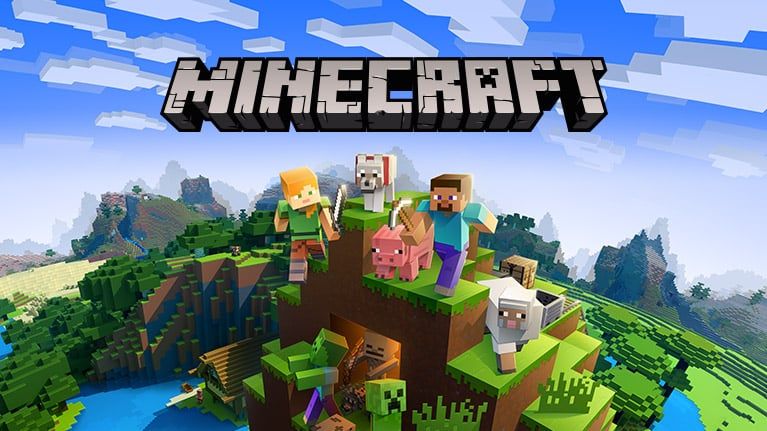
At its heart, Minecraft is about interacting with a world made from blocks. Materials found around you can become tools, shelters, farms, decorations and larger construction projects.
The game does not require every player to follow the same routine. One person may be interested in architecture and spend most of their time designing buildings, while another may prefer travelling across the map and looking for interesting locations.
This open-ended design also means that a new world can become a completely different experience depending on the choices you make.

How a Minecraft World Works
When you begin a world, the surrounding environment becomes the starting point for your adventure. The terrain, available materials and nearby locations can influence what you decide to do first.
Finding Useful Materials
Early progress usually depends on collecting basic resources. Wood, stone, food and other materials can be turned into equipment or used to establish a more practical base.
Travelling Through Different Environments
There is much more to discover than a single type of landscape. Minecraft worlds can contain forests, deserts, mountains, oceans, snowy regions, caves and many other environments.
Travelling away from your starting area can therefore lead to new resources and locations that change how you approach your world.
Turning an Idea Into a Build
Construction does not have to begin with a complicated project. A small shelter can eventually become a detailed home, underground base, castle, village or an entirely original creation.
Survival Mode Explained
Survival places greater importance on preparation. Instead of having unlimited access to every block from the beginning, players collect what they need and gradually improve their equipment and surroundings.
Managing supplies is an important part of this mode. You have to think about where to build, what materials to carry and which areas are worth exploring next.

Creative Mode for Builders
Creative mode takes a different approach. It is suited to players who want to concentrate on designing and experimenting rather than spending most of their time collecting materials.
With fewer resource limitations, large construction projects become easier to plan and build. It can also be a useful environment for testing ideas before attempting something similar in Survival.
Java Edition and Bedrock Edition
Players may encounter two major Minecraft editions: Java Edition and Bedrock Edition. Although they share the same basic Minecraft concept, they are designed around different platforms and have differences in their features and ecosystems.
- Java Edition: Available on Windows, macOS and Linux and well known for its extensive community-created modding ecosystem.
- Bedrock Edition: Built for broader device compatibility and available on Windows, consoles and supported mobile devices.
- Multiplayer: Bedrock is designed around cross-platform multiplayer between supported devices.
- Marketplace: Bedrock includes access to Minecraft Marketplace content.
If you are unsure which edition fits your needs, the official Java vs Bedrock guide explains the differences.
Multiplayer and Playing Together
Minecraft is not limited to solo worlds. Depending on the edition and platform, players can use multiplayer worlds, servers and Realms to share the experience with other people.
Realms is designed around persistent online worlds, making it possible for a group to return to a shared Minecraft environment instead of starting from scratch every time.

Key Things You Can Do in Minecraft
Explore
Travel through different landscapes and search for unusual terrain, resources and structures.
Build
Use blocks as construction materials and gradually turn simple ideas into detailed projects.
Craft
Collected resources can be combined into useful items that help with building, travelling and progression.
Experiment
Creative projects, different building techniques and community-created content give experienced players plenty of ways to experiment.
Play With Others
Multiplayer options allow supported players to share worlds and work on projects together.
Follow New Content
Minecraft continues to receive official content and game updates, giving returning players new things to discover.
Minecraft on PC
PC players can access Minecraft through the official package that combines Java Edition and Bedrock Edition. The editions can be selected through the Minecraft Launcher.
💻 Minecraft Java Edition – PC Requirements
Minimum Target
- Operating System: 64-bit operating system
- Memory: 8 GB RAM with a discrete GPU, or 12 GB with integrated graphics
- Processor: 4-core CPU
- Graphics: Vulkan 1.3-compatible GPU
- VRAM: 2 GB or more
- Target: 1080p at 30 FPS using Fast graphics
Recommended Target
- Memory: 16 GB RAM
- Graphics: Modern GPU with approximately 6 GB VRAM
- Target: 1080p at 60 FPS using Fancy graphics
Where Can You Play Minecraft?
Minecraft is available across several major platforms. Exact edition availability depends on the device you are using.
- Windows PC
- macOS
- Linux
- Xbox consoles
- PlayStation consoles
- Nintendo Switch
- Supported Android devices
- Supported iPhone and iPad devices
How to Install Minecraft Safely
If you want to install Minecraft, the safest option is to use the official Minecraft website or the official store associated with your device. Unofficial launchers and websites offering altered copies should be avoided.
- Open the official Minecraft website.
- Select the version or platform that matches your device.
- Complete the purchase or choose an official trial when one is available.
- Download the official application or Minecraft Launcher.
- Sign in using the required account.
- Finish the installation and start Minecraft from the official application.
For Windows PC users, the official Java & Bedrock Edition page contains the current PC information.
Why People Keep Coming Back to Minecraft
One of Minecraft’s strongest qualities is that it does not become interesting for only one type of player. The same game can be approached as a building tool, survival adventure, exploration experience or multiplayer world.
Another advantage is the amount of freedom given to the player. There is no requirement to make every world look or play the same, so returning after a break can still feel fresh when you choose a new goal.

Advantages and Limitations
✅ Advantages
- Very flexible gameplay
- Large scope for creative projects
- Survival and Creative provide different experiences
- Multiplayer options are available
- Strong long-term replay value
- Continued official development
⚠️ Things to Consider
- The open-ended design can feel confusing to beginners
- Detailed projects can take a long time to complete
- Java and Bedrock are not identical
- Higher graphical settings may require better hardware
Frequently Asked Questions
What type of game is Minecraft?
Minecraft is primarily a sandbox game, but it also includes survival, adventure, creative and multiplayer experiences.
Can Minecraft be played with friends?
Yes. Multiplayer is supported through different options depending on your edition and platform, including shared worlds, servers and Realms.
Which is better, Java or Bedrock?
Neither edition is simply better for everyone. Java is particularly popular among PC players interested in its modding ecosystem, while Bedrock is useful for players who want broader cross-platform compatibility.
Is Minecraft available for PC?
Yes. The official PC package provides access to both Java Edition and Bedrock Edition.
Does Minecraft still receive new content?
Yes. Mojang continues to develop Minecraft and release new content through official updates and game drops.
Can I try Minecraft before buying it?
An official Minecraft free-trial option is available for supported editions and platforms. Trial availability can depend on the device and current offer.
Final Thoughts
Minecraft stands out because it gives the player control over what the game becomes. You can approach a world with a survival mindset, focus entirely on construction, explore unfamiliar areas or invite friends into a shared adventure.
Its simple block-based foundation leaves room for surprisingly complex creations. For players who enjoy freedom rather than a strictly guided experience, Minecraft offers a world that can be shaped around their own ideas.