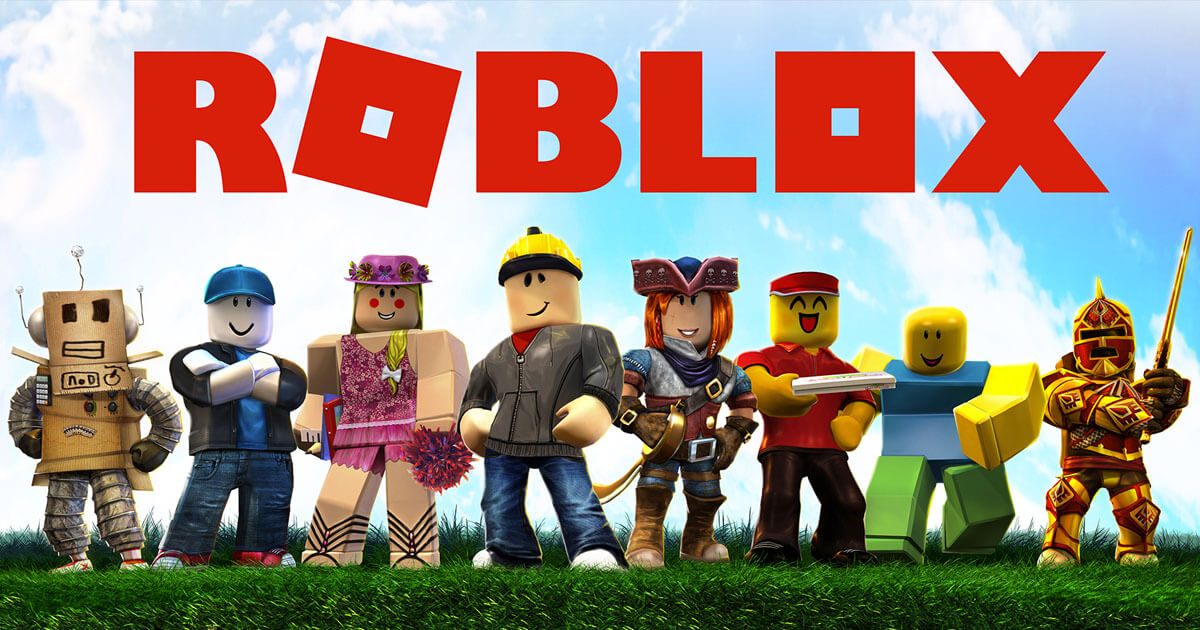
Roblox: The Ultimate Guide to Games, Experiences, Avatars, Creation, Roblox Studio and More

Roblox is far more than a traditional video game. It is a huge online gaming and creation platform where players can discover thousands of different experiences, play with friends, customize their avatars and even create their own games.
That combination is what makes Roblox so different from most games. Instead of giving every player one fixed campaign or one predefined world, Roblox provides an enormous ecosystem of experiences created by developers and members of its community.
You can spend one session exploring an adventure, another playing an obstacle course, another enjoying a simulation, and then switch to a completely different experience without leaving the Roblox platform.
For creators, Roblox goes even further. Roblox Studio provides tools for building 3D worlds, scripting gameplay, testing projects and publishing creations. This makes Roblox both a place to play games and a platform for learning and developing games.
🎮 Roblox at a Glance
- Platform: Roblox
- Developer: Roblox Corporation
- Type: Online gaming and creation platform
- Experiences: Millions of player-created experiences
- Creation Tool: Roblox Studio
- Scripting Language: Luau
- Virtual Currency: Robux
- Multiplayer: Supported
- Avatar System: Customizable 3D avatars
- PC: Windows and macOS
- Mobile: Supported iOS/iPadOS and Android devices
- Official Website: Roblox.com
What Is Roblox?
Roblox is an online platform built around playing and creating interactive experiences. Rather than being one single game, Roblox contains a massive collection of individual experiences.
These experiences can be created by independent developers, development teams and other creators using Roblox’s tools and engine.
The result is an ecosystem covering a huge range of genres and play styles. Players can discover adventure games, role-playing worlds, racing experiences, simulations, obstacle courses, puzzle games, social spaces and many other creations.
This community-driven model is one of the biggest reasons Roblox has remained relevant for so long. New experiences can appear continuously, giving players an ever-changing library to explore.
Why Is Roblox So Popular?
Roblox has several qualities that make it different from traditional games.
Huge Variety
Players are not limited to one genre. The platform contains experiences with completely different objectives and mechanics.
Player Creativity
Roblox gives creators the tools to build their own worlds and publish them for other players.
Multiplayer
Many experiences are designed around playing with other people, making Roblox a strongly social platform.
Constantly Changing Content
Because creators are continuously developing new experiences, Roblox does not have the same fixed content cycle as a traditional standalone game.
Easy Entry Into Game Development
Roblox Studio provides a relatively accessible starting point for people who want to experiment with 3D creation, scripting and game design.

Roblox Gameplay
There is no single gameplay formula in Roblox. Each experience can have its own rules, objectives, progression system and environment.
One experience may focus on exploration, while another may challenge players with puzzles or obstacles. Others may concentrate on simulation, building or social interaction.
Explore Experiences
The Discover section allows players to browse Roblox experiences and find new games based on different categories and recommendations.
Play With Friends
Supported experiences allow friends to meet and play together. Multiplayer can completely change how an experience feels because players can cooperate, compete or simply explore together.
Try Different Genres
Roblox’s variety means players can move between genres without needing to purchase or install a completely different game for every experience.
- Adventure
- Racing
- Simulation
- Role-playing
- Obstacle courses
- Puzzle games
- Strategy
- Building
- Social experiences
- Creative experiments
Roblox Experiences
Roblox uses the term experience for the interactive games and worlds available on the platform.
An experience can be a simple project made by a beginner or a large production developed by an experienced team. Creators can design environments, gameplay systems, interfaces, characters, progression mechanics and much more.
This flexibility allows Roblox developers to experiment with ideas that may not fit into conventional game genres.
Roblox Avatar Customization
Your Roblox avatar is your digital representation on the platform. Players can customize their avatar using different clothing, accessories, body elements and other supported cosmetic options.
The avatar system adds a strong identity and social element to Roblox. Instead of always appearing as the same character, players can create a look that represents their own preferred style.

Avatar Items
Roblox supports a large collection of avatar-related items and accessories. Depending on the item, players may be able to obtain or purchase different cosmetic options.
Roblox Marketplace
The Marketplace allows users to browse available avatar items and other eligible digital content. Roblox continues to evolve its avatar ecosystem with new technology and creator tools.
What Is Robux?
Robux is Roblox’s virtual currency. It is used for eligible digital purchases within the Roblox ecosystem, including certain avatar items and experience-related content.
Players do not need to purchase Robux simply to explore Roblox. Many experiences can be played without spending money.
⚠️ Robux Safety Reminder
Never give your Roblox password or account credentials to anyone promising free Robux. Avoid suspicious websites, fake giveaways and links asking for your login information. Use official Roblox services for account-related purchases.
Roblox Studio: Create Your Own Games
One of Roblox’s most important features is Roblox Studio, the official development environment used to build experiences.
Studio provides tools for creating 3D environments, scripting gameplay, testing projects and publishing creations. It is available as a free application for supported Windows and Mac computers.
Roblox’s official documentation describes Studio as a complete environment for building, scripting, testing and publishing creations to Roblox users across supported devices.
What Can You Create With Roblox Studio?
- Adventure games
- 3D worlds
- Obstacle courses
- Racing experiences
- Simulation games
- Puzzle experiences
- Social worlds
- Interactive environments
- Custom gameplay systems
- Avatar-related content
Luau Scripting
Roblox uses Luau as its scripting language. Creators can use scripts to control gameplay systems and make their experiences interactive.
Learning Luau can introduce beginners to programming concepts such as variables, functions, events, conditions and game logic while they are building something they can actually test and play.
Roblox Studio Features
3D World Building
Creators can place, move, rotate and customize objects to build detailed environments.
Scripting
Studio includes an intelligent script editor with features such as syntax highlighting, code completion and documentation.
Playtesting
Creators can test their experiences before publishing and use device emulation to check how projects behave across different screen sizes and form factors.
Team Collaboration
Multiple creators can work together on projects using Roblox Studio’s collaborative development features.
Creator Store
Creators can access a large library of models, meshes, images, sounds and other assets through the Creator Store.

Roblox for Beginner Game Developers
Roblox can be an excellent introduction to game development because creators can start small and gradually increase the complexity of their projects.
A beginner does not need to build a huge multiplayer game immediately. Starting with a small environment, simple obstacle course or basic interactive project can teach important concepts before moving on to larger ideas.
A Simple Roblox Creator Roadmap
- Install Roblox Studio.
- Learn the basic Studio interface.
- Create a small environment.
- Experiment with objects and properties.
- Learn basic Luau scripting.
- Add a simple gameplay mechanic.
- Playtest the project.
- Improve the experience based on testing.
- Publish when the project is ready and eligible.
Roblox and AI-Powered Creation in 2026
Roblox is increasingly using artificial intelligence to make creation easier and faster.
In 2026, Roblox introduced Build, a mobile-first creation experience that allows eligible creators to use natural-language prompts as a starting point for creating games. Roblox also announced additional AI-powered tools inside Studio.
These tools are designed to assist creators with tasks such as creating environments, generating assets, working with code and accelerating parts of the development process.
Roblox has also announced technology for generating interactive 3D content and eventually larger scenes from natural-language prompts. These developments could make it easier for beginners to experiment with game creation while giving experienced developers new ways to prototype ideas.
Roblox in 2026
Roblox is currently going through one of the most significant periods of expansion in its history.
At Roblox Developers Conference 2026, Roblox announced new ways to play, create and discover experiences. The company reported that players spent 29 billion hours on Roblox during the previous quarter across more than 180 countries.
The company also announced continued work on browser-based play, new social features, additional 2D and puzzle-game capabilities, AI-powered creation and improvements to discovery.
These developments show that Roblox is expanding beyond its traditional identity as a platform primarily known for 3D multiplayer worlds.
Roblox Multiplayer and Social Features
Multiplayer is a major part of the Roblox experience. Many games are designed specifically for groups of players and encourage cooperation, competition or social interaction.
Roblox is also developing additional communication features that allow friends to coordinate between experiences. The company announced a new Friends chat tab designed to help players stay connected while moving between games.
Because Roblox is an online platform with users of different ages, communication and privacy features are an important part of the overall experience.
Roblox Safety Features
Safety has become an increasingly important part of Roblox’s platform design.
Roblox introduced age-based account categories and additional protections for younger users. The company has also expanded age checks for chat and introduced additional parental controls.
Roblox says that its age-based systems are designed to align access to games and communication features with a user’s age.
🛡️ Smart Roblox Safety Tips
- Never share your Roblox password.
- Do not share your home address or private contact information.
- Be careful with messages and links from people you do not know.
- Use Roblox’s privacy and communication settings.
- Report inappropriate behavior through official Roblox tools.
- Use the age-appropriate account and safety settings available to you.
Roblox on PC
Roblox is designed to work on a wide range of computers, although performance depends on the individual experience being played.
💻 Roblox PC System Requirements
Operating System
- Windows 10 64-bit
- Windows 11
- macOS 10.13 or newer
- Linux is not officially supported
- ChromeOS 53 or newer with Google Play Store enabled
Hardware
- Graphics: DirectX 10 or higher feature-level support on Windows
- Processor: Recent processor with 1.6 GHz or better recommended
- Memory: At least 1 GB recommended on Windows 10/11
- Storage: At least 300 MB
- Internet: Roblox recommends approximately 4–8 Mbps minimum for a single-use household
Roblox Mobile Requirements
- iPhone/iPad: iOS or iPadOS 14 or newer
- Android: Android 8.0 or newer
- Android Graphics: OpenGL ES 3.0 support
- Internet: A stable internet connection is recommended
Roblox Studio System Requirements
Roblox Studio is officially available on Windows and Mac.
- Windows Minimum: Windows 10
- macOS Minimum: macOS 10.14
- Windows Recommended: Windows 11
- macOS Recommended: macOS 14+
- Minimum RAM: 3 GB
- Recommended RAM: 8 GB
- Recommended Resolution: 1600×900 or higher
How to Download Roblox
The safest way to install Roblox is through Roblox’s official website or the official application store supported by your device.
- Open the official Roblox website.
- Create an account or sign in.
- Browse the available experiences.
- Select an experience you want to play.
- Follow the official installation instructions.
- Launch Roblox and start playing.
Creators can access Roblox Studio through the official Roblox Creator Hub.
How to Start Playing Roblox
If you are completely new to Roblox, getting started is simple.
- Create a Roblox account.
- Customize your avatar.
- Open the Discover section.
- Try several different experiences.
- Find genres that you enjoy.
- Play supported experiences with friends.
- Save your favorite experiences for later.
How to Start Creating a Roblox Game
Creating your first Roblox experience does not require you to begin with a huge project.
- Install Roblox Studio.
- Sign in with your Roblox account.
- Choose a project or template.
- Build a small environment.
- Experiment with basic objects and properties.
- Learn simple Luau scripting.
- Test your game.
- Improve the design and gameplay.
- Publish when you meet Roblox’s current publishing requirements.
Roblox provides official documentation and tutorials to help creators learn each stage of development.
Roblox Creator Ecosystem
Roblox has grown into a large creator ecosystem. Developers can build experiences, work with teams, analyze player behavior and improve their projects over time.
Roblox also provides creator programs designed to help new and experienced teams develop promising ideas. In 2026, Roblox announced additional programs including Incubator and Jumpstart to support creators and new game concepts.
This growing ecosystem is one of the reasons Roblox increasingly resembles a complete game-development platform rather than simply a collection of user-created games.
What Makes Roblox So Replayable?
The biggest reason Roblox can remain interesting for years is the sheer amount of content.
When you finish a traditional game, most of its main content has already been experienced. Roblox works differently because the platform continuously receives new creations.
A player can discover a completely new experience with unfamiliar mechanics at almost any time.
That constant flow of new content gives Roblox an unusual level of replay value.

Roblox Pros and Cons
✅ Pros
- Huge variety of experiences
- Free platform access
- Strong multiplayer features
- Extensive avatar customization
- Roblox Studio is free
- Excellent introduction to game development
- Constantly changing content
- Available across multiple supported platforms
- Large creator community
- Regular technology and platform updates
⚠️ Cons
- Experience quality can vary significantly
- The enormous library can be overwhelming for beginners
- Some features depend on age and region
- Most experiences require an internet connection
- Optional purchases can add costs
- Some experiences may require stronger hardware
Frequently Asked Questions About Roblox
Is Roblox a game or a platform?
Roblox is primarily an online gaming and creation platform containing a huge collection of individual experiences.
Is Roblox free?
Yes. Roblox is free to join and play. Some experiences and digital items can contain optional purchases.
Can I make my own Roblox game?
Yes. Roblox Studio provides tools for building, scripting, testing and publishing eligible experiences.
What is Roblox Studio?
Roblox Studio is Roblox’s official development environment for creating interactive 3D experiences.
What programming language does Roblox use?
Roblox uses Luau for scripting and gameplay programming.
What is Robux?
Robux is Roblox’s virtual currency used for eligible purchases and supported digital content.
Can I play Roblox with friends?
Yes. Many Roblox experiences support multiplayer gameplay and allow friends to play together.
Can I play Roblox on a phone?
Yes. Roblox supports compatible iPhone, iPad and Android devices that meet the current requirements.
Can I play Roblox on PC?
Yes. Roblox officially supports Windows 10 64-bit, Windows 11 and supported versions of macOS.
Is Roblox Studio free?
Yes. Roblox Studio is available as a free creation application for supported Windows and Mac computers.
Can Roblox help me learn game development?
Yes. Roblox Studio provides practical experience with 3D environments, game logic, scripting, testing and design.
Does Roblox have multiplayer?
Yes. Multiplayer is a major part of the platform, although the exact multiplayer features depend on each individual experience.
Is Roblox safe?
Roblox provides moderation, reporting, age-based protections, privacy settings and other safety systems. Players should still avoid sharing private information and use appropriate account and communication settings.
Why is Roblox so popular?
Roblox combines a massive library of experiences with multiplayer, customization and user-generated content. The constant arrival of new creations also gives the platform strong long-term replay value.
Final Verdict
Roblox is one of the most unique gaming platforms available today because it combines playing, creating, social interaction and discovery in one ecosystem.
For players, there are countless experiences to discover and different genres to explore. For creators, Roblox Studio provides powerful tools for building worlds, scripting gameplay and publishing interactive projects.
The platform is also continuing to evolve rapidly. Roblox’s 2026 announcements show a strong focus on AI-assisted creation, new types of games, better discovery, additional social features and broader ways for creators to reach players.
That is what makes Roblox different: the platform is never truly finished. New creators can build something tomorrow that millions of players may discover later.
If you are looking for a platform that combines gaming, creativity, multiplayer, customization and game development, Roblox deserves its place among the biggest names in modern gaming.


Does the latest version include any major changes?
Is there an official version available too?
Does this game work smoothly on mid-range phones?